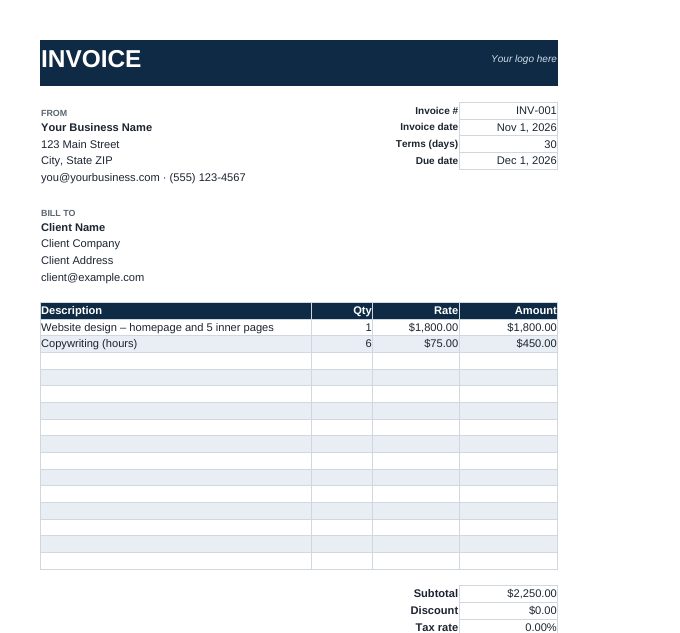
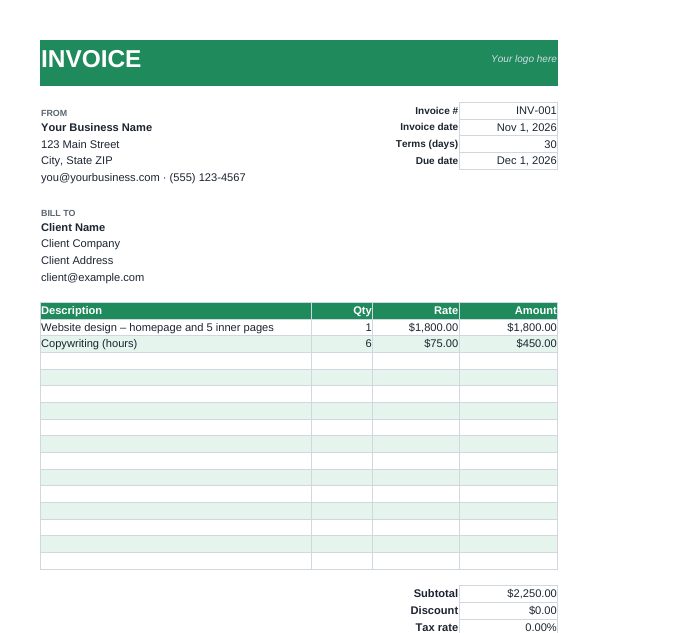
What the Excel template calculates for you
- Line amounts – quantity × rate for each of 15 item rows (blank rows stay blank)
- Subtotal of all lines
- Tax – enter your sales tax, VAT or GST rate as a percentage; it applies after any discount
- Total due – subtotal minus discount, plus tax and shipping
- Due date – invoice date plus your payment terms in days (30 by default)
The amount, tax and total cells contain formulas – type only in the other cells. A short "How to use" note sits beside the invoice and doesn't print.
How to use it
- Download a design and open it in Excel, Google Sheets (File › Import) or LibreOffice Calc.
- Replace the sample text with your business and client details. Add your logo over the "Your logo here" note with Insert › Picture.
- Set the invoice date. The template starts with =TODAY(); type the actual date instead so it doesn't change when the file is reopened.
- Enter line items – delete the two example rows first.
- Fill in discount, tax rate and shipping if they apply, then update the payment instructions.
- Export to PDF (File › Save As › PDF, or File › Download › PDF in Google Sheets) and send it.
Tips for invoicing from Excel
- Save each invoice as a new file named with its number (INV-014 Client.xlsx) so you never overwrite a sent invoice.
- Keep a simple log sheet of invoice numbers, dates, amounts and paid status – our invoice numbering guide shows formats that stay tidy.
- Billing by the hour? Work out decimal hours with the billable hours calculator and paste them into the Qty column.
- Not sure what to charge? The hourly rate calculator helps you set a rate that covers costs and taxes.
Prefer a Word template, or no spreadsheet at all? The online invoice generator gives you 30 designs and instant PDF.
Frequently asked questions
Does the Excel invoice template work in Google Sheets?
Yes. Upload the .xlsx to Google Drive and open it with Google Sheets. The formulas, formatting and print layout carry over.
How do I add more line items?
There are 15 item rows. To add more, insert rows inside the item table (not below it) and copy the Amount formula down; the subtotal range expands automatically when you insert inside it.
How do I enter the tax rate?
Type it as a percentage, for example 8.25%. Excel stores it as 0.0825 and the tax line calculates on the subtotal after discount. Leave it at 0% if you don't charge tax.
Can I change the currency symbol?
Yes. Select the money cells, then Format Cells › Currency and choose your currency. The formulas don't change.